 Casino
  Promos
  Sign Up
  Search
 Discover
  Jackpot
  All Games
 Spinshark Casino Mobile App
To make it easier for our users to navigate the platform and play slots such as Mega Zeus – Hold & Hit 3X3 and others, we have developed the SpinShark app. This is a mobile version that can be installed on any smartphone. It doesn’t matter whether you have iOS or Android: the PWA adapts to any operating system. Players of Spin Shark Casino UK who install it are also automatically eligible for the Welcome Package up to £900 + 150 Free Spins and membership of the VIP Club. More details on this will be provided below.
About SpinShark Casino Mobile
The SpinShark Casino mobile is no different from the desktop version. It is the same platform, adapted for your smartphone screen. It holds the same licence from Curaçao, which ensures that all activities here are safe and legal, and it features the same interface.
It is also important to mention that this is not quite a standard application that you need to download from the Play Store or App Store. It is a PWA – a Progressive Web App. This means that a standard website is transformed into a fully-fledged mobile version. At the same time, it runs via a browser. And this has its advantages, for example:
- Memory savings: a PWA takes up less space than a standard application.
- Speed: Thanks to caching, the interface loads faster.
- Security: The technology operates strictly via the HTTPS protocol, which minimizes data interception.
Players also register via the PWA, which grants access to bonuses such as Fin-tastik Monday up to £250 + 30 FS and games.
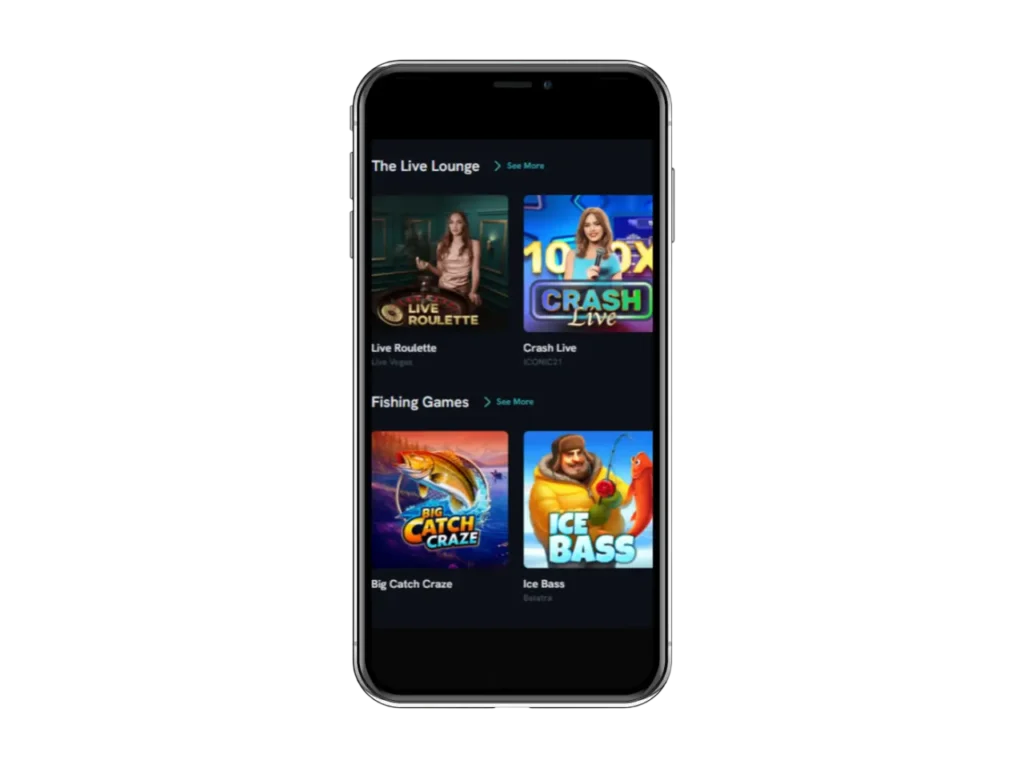
How to Set Up SpinShark App on Your Smartphone
Installing the SpinShark app on your smartphone is a quick and intuitive process that gives you access to a lot of games like Burning Coins 40 and bonuses such as Welcome Package up to £900 + 150 FS. The main feature of the software is its versatility: thanks to PWA (Progressive Web App) technology, the application is perfectly optimised for any modern device.
It is not tied to a specific store (App Store or Google Play), so it runs on virtually any device with a browser. For example:
Smartphones and tablets
- Android devices: Any smartphone from Samsung, Xiaomi, Huawei, Pixel or Realme will work. The only requirement is that a browser is installed (Chrome, Opera or the built-in “Internet” browser).
- iOS (Apple): Works on all iPhone models (from older SE/6s models to the latest models) and all generations of iPad. Installation is via Safari.
Operating systems
- The mobile version is optimised for Android (version 5.0 and above) and iOS.
- It will also run on less common systems, such as HarmonyOS (new Huawei devices) or even mobile versions of Windows.
Next, we’ll explain how to install the SpinShark Casino mobile on different operating systems.
Android Installation for SpinShark Casino App
The process is simple. To do this, you need to:
- Visit the website – Go to our official platform using your browser.
- Select the three dots – Tap the three dots next to the search bar to open a new menu.
- Start installing the SpinShark app – Select “Install App” or “Add to Home Screen”.
- The mobile version icon will then appear on your home screen.
SpinShark App iOS Installation
Installing the application on iOS is even easier. Users need to:
- Search for the site – Open the official version of www.spin-shark.com in Safari.
- Share icon – Tap this button to open the menu and share the app to your home screen.
- Add icon to home screen – Scroll down and select “Add to Home Screen”.
- Complete the installation – The icon will now appear in your list of applications. You can use it to access the casino.
SpinShark Casino Mobile Benefits
All users of the SpinShark Casino app enjoy just as many benefits as those who use a PC. The main ones include, for example:
- Fast loading – When players use a PWA, the login process is fast, as all data (including the interface) is loaded and displayed very quickly thanks to caching.
- Biometric login – Unlike a standard website on a PC, you can log in to the mobile version using biometric authentication. This means users can log in using Face ID or a set password. This saves a lot of time. Plus, it’s much harder to forget your password.
- 24/7 support – You can resolve any issues over the phone or can either send a message via the platform’s chat function or contact us by email.
All registered users also gain access to various offers such as Weekend with a Bite worth up to £88 or Reefmates Thursday up to £40 + 10 free spins on a £30 deposit. You can join the VIP Club or take part in tournaments such as BGaming Grand Cash or play Blackjack, Secrets Of Papyrus and other games.
SpinShark App Security
SpinShark Casino mobile is a fully legal app operating under a licence issued in Curaçao. This means that any issues relating to the casino can be resolved through the appropriate legal channels. It is also important to note that our team uses SSL encryption to protect your data. This protocol encrypts your personal information, making it impossible for it to be hacked.
It is also important to note that in order to access bonuses such as The Bubbly Friday up to 60 FS or games such as Plinko, you need to register. And to carry out transactions via Apple Pay, Google Pay or Crypto, we require you to complete a verification process. This also makes the platform safer and fairer for everyone, as we can identify who is visiting our site. And fake accounts become highly unlikely.
SpinShark Casino Mobile vs. Desktop Version
The mobile and desktop versions each have their pros and cons. You can compare them in the table below.
| Type | Pluses | Minuses |
| SpinShark App | A valid licence, access to numerous bonuses, the VIP Club and titles, the ability to play anywhere, Face ID, transaction with Apple Pay or Google Pay and compatibility with Android and iOS. | You always need an internet connection, and it takes up space on your phone. |
| Desktop | A more comfortable viewing experience thanks to the large screen, access to bonuses and games and a licence from Curaçao. | You can only play on a laptop; you need to update your browser. |


